
TaxMode contains all federal income tax calculations that are used by majority of taxpayers. These calculations are performed automatically based on your data. Interaction between certain taxes is also accounted for automatically regardless of the order you enter the data.
Among the taxes this program computes are-

Based on taxable income, the regular tax is computed using the Tax Tables or Tax Rate Schedules based on the Filing status for the year of tax computations. Tax deductions are taken into account to the extent they exceed standard deductions unless the program is instructed to use the itemized deductions even if they are lower.
The Qualified Dividend & Capital Gain worksheet is used to calculate the Federal Income Tax when either of these two items are present and as per instruction on Form 1040 and schedule D.
Computations for Self-employment tax are performed when active partnership income, farm income, business or other self-employment income values are entered. The computations follow the steps described on for 1040 SE. Self-employment tax is computed for the taxpayer and spouse individually when applicable. The Additional Medicare tax and the Net investment income tax have been added among other changes in income tax laws.
These computations are performed in accordance with Form 6251 for the year of tax computations. For an advance tax year for which this form has not yet published by IRS the latest published form is used. Applicability of AMT is tested after each change in value or the entry of a new value of data. Each of Part of the form I, II & III are tested for applicability based on values entered. An overall adjustment can also be made for the calculation of the Alternative Minimum Taxable Income (item 89
This Medicare surtax is computed on the lesser of investment income or the excess of modified adjusted gross income (MAGI) above a threshold based on the filing status. Starting in tax year 2013 the Net Investment Income Tax is set at 3.8% of this base.
This tax is computed on the capital gain and the ordinary income portion of a lump-sum distribution subject to 10 year averaging method using Form 4972. This tax is applicable for Qualified Plans or participants born before January 2, 1936.
This credit is calculated automatically based on the information entered.
The program assumes the taxpayer and spouse (if applicable) are between the age of 25 and 65. The accuracy of this computation can be improved by providing additional information on the following items if applicable-
You can display the details of each tax computation by clicking on the tax amount or its caption shown on the result screen.
These details are shown as lines of information filled in for the corresponding IRS tax forms. Following IRS Forms are programmed in varying degrees of details subject to data availability-
Two formats of Income & Tax Statement are available to display and/or print: main and detailed. The Main report shows the input items entered along with each tax amount computed. Detailed report supplements the Main report with details of each tax form applied in that case to arrive at the tax results.
Reports provided on the result screen can be printed by pressing the F10 key. The function key 10 can be used to print the following-
• Main report
• Full report
• Details of an item shown on the result screen
• Data corresponding to IRS tax forms involved in current tax calculations
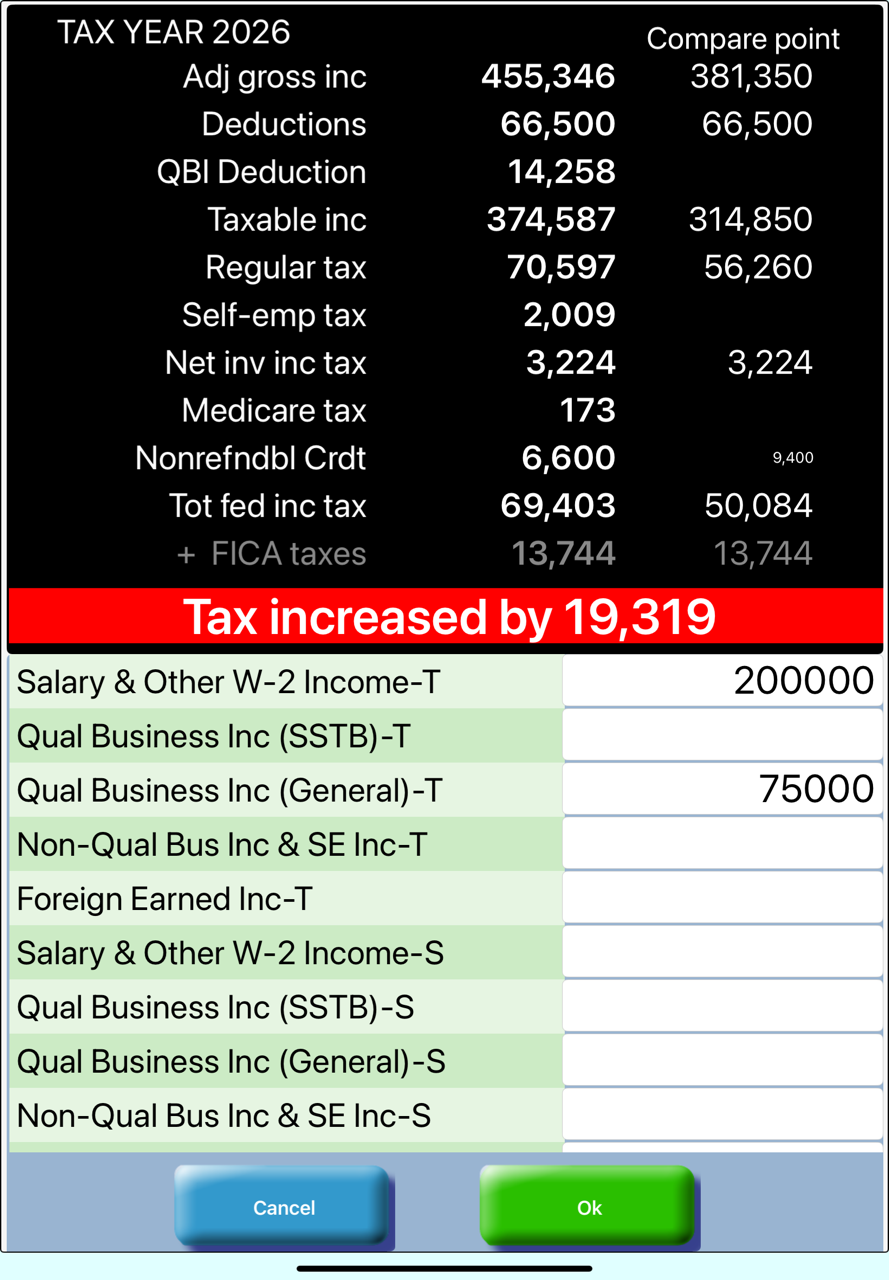
While TaxMode can be used as a standalone tax calculator it can also be switch is an advanced mode requiring comparative analysis. Two comparative modes are available to provide you with tax result comparisons from a static point of reference or a continuous (dynamic) comparison each time you make an entry.
This tax calculator contains tax computation laws for a two year span. Tax results can be displayed for either year and can be switched from one to the other year to providing you with ability to gauge the impact of taking an income or deduction item this year versus next year.
Start up screen where you can enter one or more values and obtain results interactively or load a saved case. The last case you were working on can also be loaded.
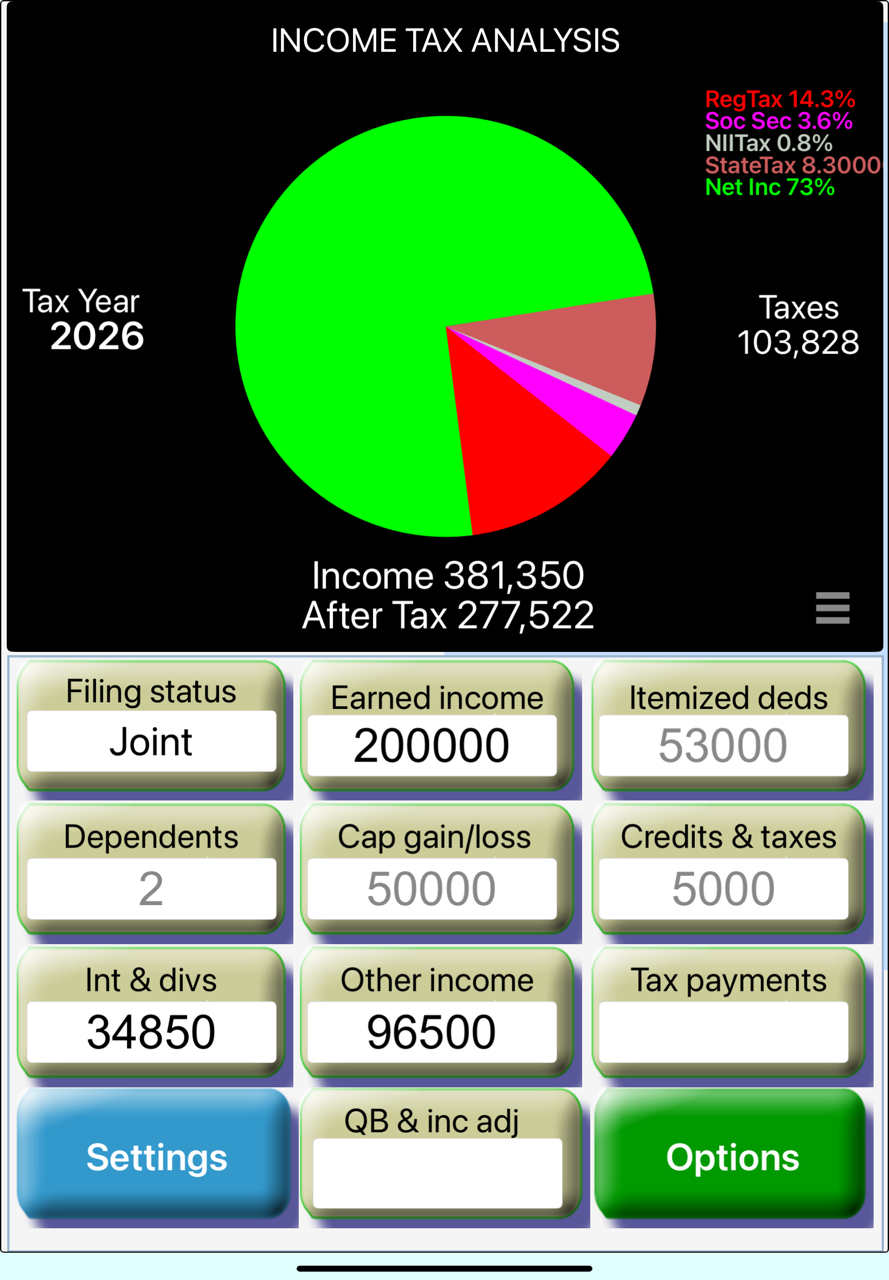
Tax related results are displayed as you enter each value. Summary input can be made be directly entering the value in the button's text window or you can enter itemized input on the detail input screen available upon clicking the a button.
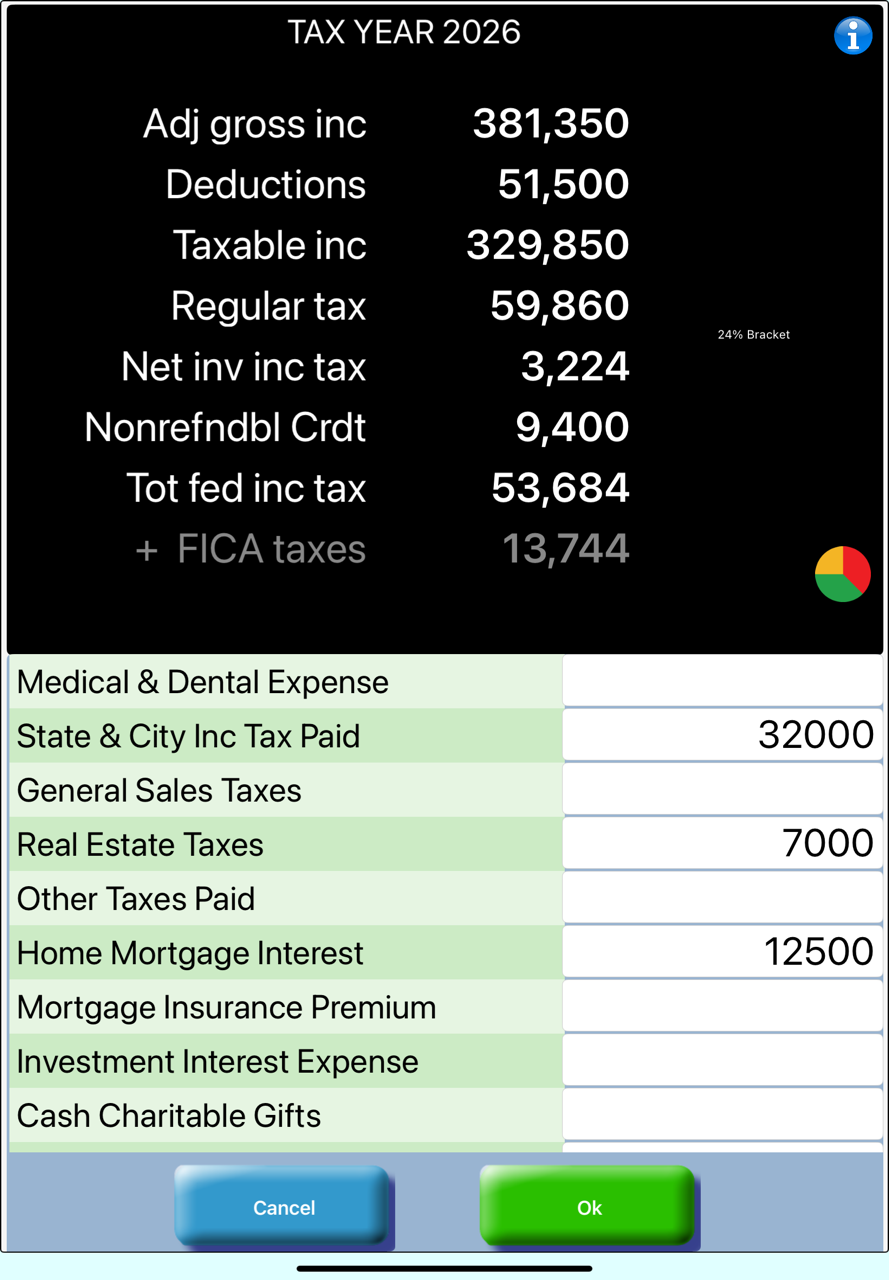
At any point you can compare the impact of an item on the overall tax scenario.